

Get Started or Add to an Existing Project
Getting started with Kinetic is incredibly straightforward. Just follow the steps below to start transacting with Kinetic in your app.Installation
Instantiate the Kinetic Client
The Kinetic Client will give you access to all the methods you need to work with Fee subsidization on the blockchain. We recommend starting with Devnet before moving on to Mainnet.1 on devnet so you can get started.
Create Account
You can create accounts randomly or from existing mnemonics or secret keys. Below, we’ll make a keypair and use that for creating an account on the blockchain.Close Account
It’s good practice to close unneeded accounts. You can only close accounts that you have created and are currently empty.Check Balance
Check a user balance by passing in the public key of the account you want to check. The response object includes your total token balance as well as detailing all of the Mints and Tokens held by that Public Key.Airdrop Funds (devnet)
Send some test funds to a specific Public Key on Devnet.Transfer a token
Transfer a token from a Keypair to any Public Key.reference is stored off chain and will be passed back to the app via webhooks if they are set up.
Transfer a token Batch
Make a batch transfer of a token.Get Transaction Details
Get the details of any transaction by passing in the transaction signature.Get Solana Explorer URL
Solana ExplorerGet Account History
Get the full transaction history of any account by passing in the account’s Public Key.Get Account Info
Easily get the main info of any account by passing in the account’s Public Key.Get Token Accounts
Get the full list of Token Accounts held by a Keypair on Solana.Webhooks
Access Kinetic Manager to manage your app’s settings. This includes allowing you to configure your app to use a number of webhooks.Balance Webhook
The balance webhook allows you to receive an alert when your app’s hotwallet is running low on Sol so you can top it up and ensure your app can continue to keep transacting.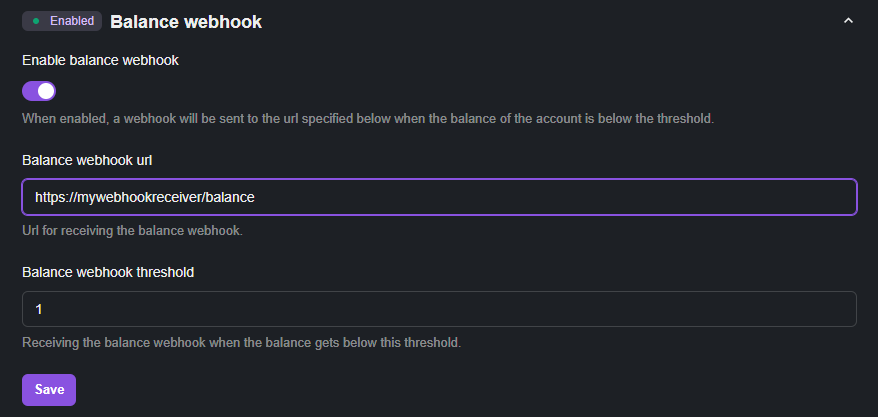
Event Webhook
The event webhook allows you to receive alerts when actions have been confirmed on the Solana blockchain.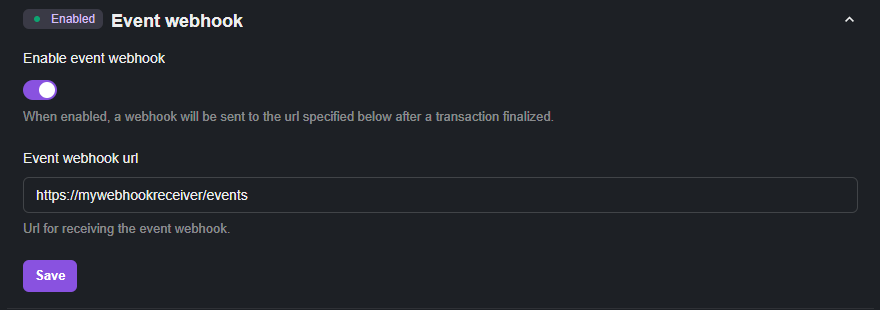
Verify Webhook
The verify webhook allows you to have fine-grained control over transactions, making sure they meet your own criteria before allowing them to proceed.200 status code to approve the transaction or a 400 to reject it:
Demos and Starter Kits
Created to help get you up and running as quickly as possible, these projects can be a great reference point when you get stuck or even a starter for your own project. Happy coding!Kinetic Python Starter
Kinetic Python Demo Server
This server is compatible with the Kinetic Playground Front
End.
Ready for Production?
If your app is ready for production, this is the place for you!Contribute
Kinetic Python SDK
What If I Get Stuck?
Developer Best Practices
Once you’re ready to code, have a quick look at our Developer Best Practices where we cover some useful topics that you’ll want to keep in mind as you build out your application. General notes- For methods that request a token be transferred,
amountis the amount of the token, not quarks. - Response objects from requests have updated / changed.
sign_transaction webhook. That’s been deprecated and we now have the verify webhook that can simply return a 200 status code to confirm verification of a request.